LinkedIn remarketing strategy: the complete B2B guide
A LinkedIn remarketing strategy is the practice of targeting LinkedIn members who have already interacted with your brand, using LinkedIn’s Matched Audiences to serve them tailored ads that move them further along the buying journey. The core components are the LinkedIn Insight Tag, segmented audience lists, and sequential messaging matched to each prospect’s stage. Done well, it consistently outperforms cold prospecting on click-through rate, conversion rate, and cost per acquisition.
What is a LinkedIn remarketing strategy?
At its foundation, remarketing on LinkedIn means reconnecting with people who already know you exist. That prior familiarity changes everything. Rather than spending budget convincing a cold audience to pay attention, you are speaking to professionals who have already visited your pricing page, watched your video, or opened your Lead Gen Form. The conversation starts several steps ahead.
LinkedIn’s Matched Audiences is the feature set that makes this possible. It lets you combine LinkedIn’s professional data with your own, creating custom audience segments you can use across any campaign type in Campaign Manager.
The essential components of a LinkedIn remarketing strategy:
LinkedIn Insight Tag: a JavaScript snippet installed on your website that tracks visitor behaviour and passes data to LinkedIn for audience building
Matched Audiences: custom segments built from website visitors, uploaded contact lists, or LinkedIn engagement events
Minimum audience size: a segment must reach 300 matched members before a campaign can serve ads
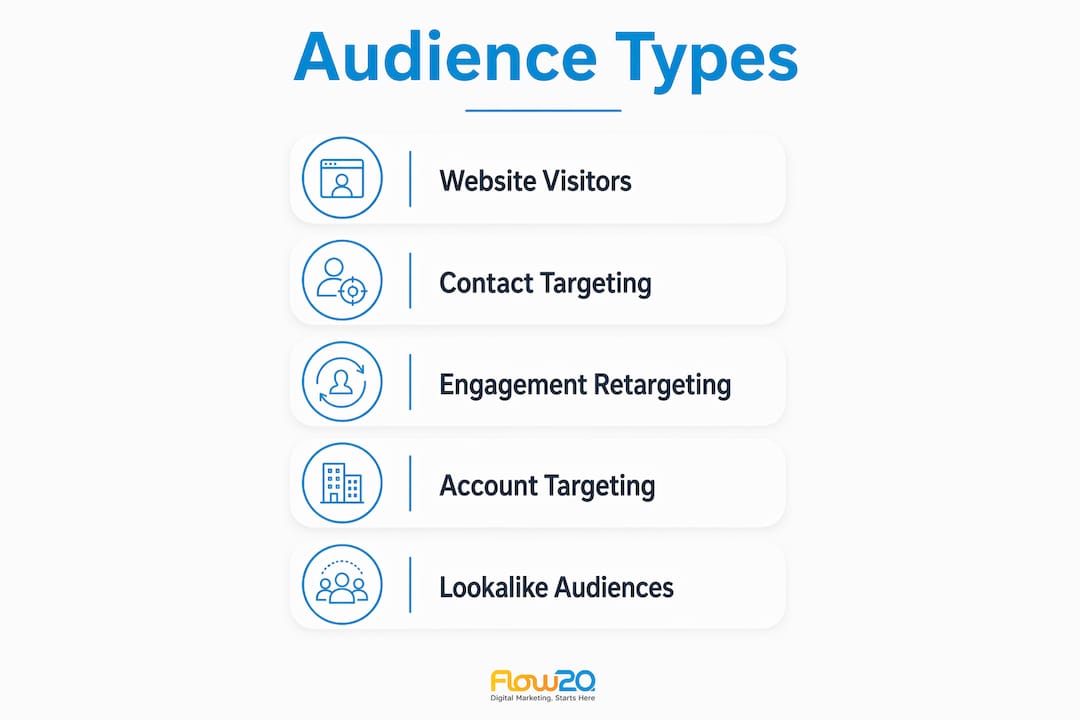
Audience types: Website Retargeting, Contact Targeting, and Engagement Retargeting (video viewers, Lead Gen Form openers, Company Page visitors, event attendees)
Sequential messaging: different ad creatives and offers matched to each audience’s intent level and funnel stage
Segmentation: splitting audiences by the pages they visited, the content they engaged with, or their role in the buying committee
Exclusion lists: removing converted users so budget is not wasted on people who have already taken the desired action
The strategic advantage over cold LinkedIn ads is compounding. Each touchpoint builds on the last, and because LinkedIn’s professional data lets you layer job title, seniority, and industry on top of behavioural audiences, you can reach the right person at the right company with a message that reflects exactly where they are in their decision process.
Ad
Types of LinkedIn remarketing audiences and how to create them
LinkedIn offers several distinct audience types within Matched Audiences, each suited to a different stage of the funnel. Understanding which to use, and how to build them correctly, is where most campaigns either succeed or stall.
Website Retargeting
Website Retargeting is the most widely used and most powerful option. Once the LinkedIn Insight Tag is live on your site, LinkedIn matches visitors to its member database and populates a retargeting segment automatically. You define which pages to track and set a lookback window of up to 365 days, though 90 days works best for most B2B campaigns.
URL matching rules give you precise control:
Equals: targets visitors to an exact URL, useful for high-intent pages like a demo request page
Starts with: captures all pages under a subdirectory, such as every product page
Contains: groups pages by a keyword in the URL, ideal for blog topic clusters or service categories
AND/OR logic: combines rules to target visitors who hit multiple pages, or anyone who visited any page in a set
Contact Targeting
LinkedIn contact targeting lets you upload a CSV of email addresses and show ads directly to those matched individuals. Match rates typically run below two-thirds, so you need to upload significantly more contacts than the minimum audience size to account for the match-rate drop. Including both personal and work email addresses improves match rates, since LinkedIn often matches against the personal email a member used when creating their profile.
Engagement Retargeting
This audience type captures LinkedIn-native behaviour without requiring a website visit. You can build segments from:
Video viewers (by completion percentage: 25%, 50%, 75%, or 97%)
Lead Gen Form openers who did not submit
Lead Gen Form submitters
Company Page visitors and CTA clickers
Single image ad engagers (clicks, likes, comments, shares)
Event registrants and attendees
Conversation ad interactions
Step-by-step: creating a retargeting audience in Campaign Manager
Log into Campaign Manager and select your ad account.
Navigate to Account Assets and select Matched Audiences.
Click Create Audience on the right-hand side.
Choose your audience type: Website, Contact List, or an Engagement option.
Name the audience specifically (you will need to identify it later across multiple campaigns).
For website audiences, add your URL rules and set the lookback window.
For contact lists, upload a CSV with email addresses, first name, last name, company name, and job title.
Click Create and allow up to 48 hours for the audience to build.
Once the segment shows “Ready” status and has reached 300 members, it is available to add to a campaign.
Tips for precise audience definition:
Use separate audiences for different page types rather than targeting all website visitors in one segment
Set lookback windows to reflect your actual sales cycle length (90–180 days for most B2B products)
Combine multiple engagement sources to build larger segments when individual sources are too small
Refresh contact lists regularly; stale data reduces match rates and wastes impressions
Always create exclusion audiences for converted users before launching
How to segment LinkedIn retargeting audiences effectively
Segmentation is where a LinkedIn remarketing strategy either earns its budget or burns it. The most common mistake is treating all website visitors as one audience. A blog reader and a pricing page visitor are at completely different stages, and showing them the same ad is a waste of spend on one and a missed opportunity on the other.
Segment by intent level
The intent signal a prospect sends through their behaviour should dictate both the audience they land in and the message they receive:
Blog readers (90-day window): problem-aware but not yet evaluating solutions. Serve thought leadership, use cases, and educational content that deepens the conversation.
Pricing page visitors (60-day window): actively comparing options. Show ROI calculators, customer case studies, and comparison content. These are your highest-value retargeting prospects.
Demo page visitors who did not convert (30-day window): something stopped them. Address objections directly with social proof or a lower-commitment offer.
Video viewers at 75–97% completion: these prospects invested real time in your content and are significantly warmer than a casual page visitor.
Lead Gen Form openers who did not submit: they were interested enough to open the form. Retarget with objection-handling content or a softer offer.
The 95-5 rule and what it means for your campaigns
The 95-5 rule states that 95% of your B2B market is not actively buying at any given moment. Only 5% are in an active purchase cycle. A well-structured LinkedIn remarketing strategy accounts for both groups: an always-on brand awareness layer for the 95%, and high-intent sequential retargeting for the 5% who are actively evaluating. Collapsing these into a single campaign means your messaging is wrong for almost everyone.
Sequential storytelling across the funnel
Sequential retargeting treats the campaign as a conversation rather than a series of disconnected ads. Stage 1 (days 1–30) keeps the conversation going with educational content for early-stage visitors. Stage 2 (days 31–60) shifts to solution-focused messaging for prospects showing stronger intent signals. Stage 3 (days 61–90) moves to direct offers, demos, and decision-stage content for your hottest audiences.
Pro Tip:Exclude your high-intent audiences (pricing page visitors, form openers) from your low-intent campaigns (blog visitor retargeting). If you do not, you compete against yourself in the auction and dilute the message for your most valuable prospects.Common segmentation mistakes to avoid:
Running a single “all website visitors” campaign with no intent differentiation
Overlapping audiences without exclusion logic, causing the same user to see conflicting messages
Using retargeting windows that are too short for your sales cycle (30 days is rarely enough for B2B)
Leaving audience expansion enabled on contact targeting campaigns, which shows ads outside your intended list
Failing to refresh contact lists, meaning you are targeting people who have changed roles or companies
LinkedIn audience targeting attributes that sharpen your remarketing
LinkedIn’s professional demographic data is what separates it from every other retargeting platform. You are not chasing anonymous cookies. You are reaching a VP of Marketing at a mid-market SaaS company who visited your pricing page last week, and you know their seniority, industry, and company size before you write a single word of ad copy.
These targeting facets can be layered on top of any Matched Audience to sharpen delivery:
Location: restrict delivery to specific countries, regions, or cities. For UK B2B campaigns, this is often the first filter applied.
Job title and job function: reach the specific roles in the buying committee, not just anyone at a target company.
Seniority: separate decision-makers from practitioners and serve each group messaging relevant to their concerns.
Industry: exclude industries that are unlikely to convert, even if they have visited your site.
Company size: align your retargeting with your ideal customer profile by filtering out companies that are too small or too large to be a realistic fit.
LinkedIn professional demographic segments: pre-built segments based on member activity and profile data, useful for layering on top of website retargeting.
One important caveat: when you are retargeting a behavioural audience (website visitors, video viewers), the audience is already qualified by their actions. Adding too many demographic filters on top of a small behavioural segment can shrink it below the 300-member threshold and prevent the campaign from serving at all. The practical approach is to let behavioural signals do the primary filtering and use demographic layers sparingly to exclude clear mismatches.
Targeting best practices for remarketing campaigns:
Layer seniority and job function on contact targeting campaigns to ensure ads reach decision-makers, not every contact at a company
Use company size filters when your product has a clear minimum viable customer profile
Avoid stacking more than two or three demographic filters on small retargeting segments
Test location targeting separately for UK-specific campaigns versus broader European audiences
Use LinkedIn’s professional demographic segments as an additional refinement layer on website retargeting, not as the primary filter
Common challenges with LinkedIn remarketing and how to fix them
Even well-planned campaigns run into predictable problems. Knowing what to watch for saves both time and budget.
Audience too small to activate
The 300-member minimum is a hard requirement. Campaigns using a segment that has not reached this threshold will not serve. For contact targeting, upload at least 1,000 contacts to reliably reach 300 matched members given the 30–60% match rate. For website retargeting, expand your lookback window from 30 to 90 days and include more URL paths if the segment is building slowly.
Audience size directly affects cost per click. Smaller audiences tend to have higher costs per click, while larger audiences reduce cost efficiency. Expanding your time window, combining multiple retargeting sources, or including more pages in your URL rules are effective ways to grow a segment that is underperforming on delivery.
Ad fatigue
When the same creative runs against a small audience for too long, frequency climbs and engagement drops. Refreshing ad creative every 2–3 weeks and monitoring frequency reports in Campaign Manager prevents this. Create three or four ad variants from the outset so you have rotation options without rebuilding the campaign.
Wasted spend on converters
Showing demo ads to someone who already booked a demo is one of the most common budget leaks in LinkedIn advertising. Exclude converted users by uploading your customer list as an exclusion audience, excluding Lead Gen Form submitters, and excluding visitors to your thank-you or confirmation pages.
Troubleshooting checklist:
Verify the Insight Tag is firing on all relevant pages, not just the homepage
Check segment status in Campaign Manager (segments show “Building,” “Ready,” or “Too Small”)
Confirm exclusion audiences are applied at the campaign level, not just the account level
Review frequency reports weekly and pause ads when members have seen them five or more times
For contact targeting, check that your CSV includes both personal and work email columns
Common questions and fixes:Why is my retargeting audience not growing? The Insight Tag may not be installed on all pages, your site may have low traffic, or your lookback window may be too short. Extend to 90 days and verify the tag is active across the full domain.
Why is my match rate low for contact uploads? LinkedIn matches against the email address on a member’s profile, which is often a personal address. Upload both work and personal emails, and ensure your CSV is correctly formatted with the required fields.
Why is my campaign not spending? The audience may be below 300 members, the bid may be too low for the auction, or demographic filters may have over-narrowed the deliverable audience.
Proven optimisation strategies from a UK digital marketing agency
Flow20 works with B2B clients across the UK and has seen consistent patterns in what separates high-performing LinkedIn remarketing campaigns from mediocre ones. The difference is rarely the platform. It is almost always execution: how audiences are segmented, how creative is sequenced, and how performance is measured.
Segmentation and sequencing drive the biggest gains
The most impactful change in any LinkedIn remarketing account is moving from a single “all visitors” campaign to intent-based segmentation. Sequential nurture campaigns matched to engagement stage consistently improve conversion rates and reduce cost per acquisition. Website visitor retargeting converts at low single-digit rates for demo requests, video viewer retargeting slightly higher, and Lead Gen Form opener retargeting converts significantly better. These differences illustrate why high-intent audiences deserve disproportionate budget, even though they are smaller.
Budget allocation for retargeting campaigns
A practical starting point for budget allocation across a LinkedIn campaign mix involves dividing budgets among cold prospecting, website and video retargeting for nurturing, high-intent retargeting, and micro-audiences. The high-intent portion often delivers a disproportionate share of total conversions. Shifting budget there as performance data accumulates is one of the highest-return optimisation moves available.
Bidding strategy by audience type
For broad website visitor audiences, start with automated bidding (maximum delivery) to build data, then switch to manual bidding once the campaign has sufficient conversion history. For high-intent audiences such as pricing page visitors and form openers, bid higher than you would for cold prospecting. These prospects are close to converting, and losing the auction to a competitor at this stage is an expensive mistake. For video viewer audiences, automated bidding tends to work well because view-through conversions can be complex to track manually.
Combining LinkedIn remarketing with other channels
LinkedIn remarketing does not need to operate in isolation. Pairing it with Google Display reinforcement and Facebook retargeting creates a multi-channel presence that keeps your brand visible throughout a long B2B decision cycle. The LinkedIn layer handles professional context and seniority targeting; Google Display adds reach across the open web; Facebook and Instagram cover personal browsing time. Each channel reinforces the others without duplicating the same message.
Pro Tip:Sync your LinkedIn retargeting audiences with your CRM so that when a prospect enters an active sales opportunity, their retargeting creative shifts to reinforcement mode: case studies, customer testimonials, and ROI evidence that supports the conversation your sales team is already having.Optimisation best practices:
Track view-through conversions and assisted conversions in Campaign Manager, not just last-click data
Measure cost per marketing-qualified lead rather than cost per lead alone
Review the LinkedIn algorithm’s learning phase: allow at least two weeks before drawing conclusions from a new campaign
Use the LinkedIn Insight Tag to build audiences continuously, even when no active campaign is running
Flow20’s LinkedIn advertising services for UK businesses
Flow20 is a London-based performance marketing agency that manages LinkedIn advertising campaigns for small and mid-sized B2B businesses across the UK. Where many businesses struggle to move beyond basic campaign setup, Flow20 builds the full architecture: Insight Tag deployment, intent-based audience segmentation, sequential creative strategy, and ongoing bid and budget optimisation tied to lead generation targets rather than vanity metrics.
The agency’s focus is on the numbers that matter: cost per acquisition, qualified leads generated, and pipeline influenced. Every campaign is structured around your sales cycle, your buying committee, and the specific intent signals that indicate a prospect is ready to move. There are no generic templates, and no guesswork about which audiences are worth spending on.
If your LinkedIn campaigns are generating impressions but not leads, or if you have never run retargeting beyond a basic “all visitors” audience, Flow20’s LinkedIn advertising management service is the practical next step. You can also explore the agency’s broader paid media services, SEO, Google Ads management, and Facebook advertising to build a cohesive multi-channel approach. Get in touch with Flow20 to discuss a campaign structure built around your pipeline goals.
Key takeaways
A LinkedIn remarketing strategy built on intent-based segmentation, sequential messaging, and proper exclusion logic consistently outperforms single-audience campaigns on both conversion rate and cost per acquisition.
Point
Details
Minimum audience threshold
Segments need 300 matched members before campaigns can serve; To reliably meet the minimum 300-member threshold for contact targeting, upload at least 1,000 contacts to account for LinkedIn’s average 30–60% match rates.
For remarketing segments with thousands of members, typical costs per click range from £5 to £8, with smaller audiences incurring higher costs per click.
Intent-based segmentation
Pricing page visitors and form openers convert at rates significantly above broad website visitor audiences.
Sequential messaging
Match ad creative to each funnel stage: educational content for early visitors, direct offers for high-intent prospects.
Flow20
Flow20 manages full-funnel LinkedIn remarketing for UK B2B businesses, from Insight Tag setup to bid strategy and lead generation reporting.
FAQ
Can you do remarketing on LinkedIn?
Yes. LinkedIn’s Matched Audiences feature lets you retarget website visitors via the Insight Tag, upload contact lists for direct targeting, and build audiences from LinkedIn-native engagement such as video views, Lead Gen Form interactions, and Company Page visits. Campaigns require a minimum of 300 matched members to serve.
What is the 95-5 rule on LinkedIn?
The 95-5 rule holds that 95% of your B2B market is not actively buying at any given time, with only 5% in an active purchase cycle. A sound LinkedIn remarketing strategy addresses both groups: always-on brand awareness content for the majority, and high-intent sequential retargeting for the 5% who are currently evaluating solutions.
What marketing strategies work best with a British B2B audience?
Professional credibility, specificity, and relevance to the buyer’s role tend to perform well. On LinkedIn, this means segmenting by seniority and job function, using case studies and ROI evidence rather than generic claims, and sequencing messages to reflect the length of a typical UK B2B sales cycle, which often runs 90–180 days or longer.
What is the 5-3-2 rule on LinkedIn?
The 5-3-2 rule is a content-sharing guideline sometimes applied to LinkedIn organic posting: five pieces of content from others in your industry, three original pieces from your own brand, and two personal or humanising posts. It is a content mix framework rather than a paid advertising principle, and definitions vary depending on the source.
How much should I budget for LinkedIn remarketing?
A practical starting point is allocating 20–30% of your total LinkedIn budget to retargeting campaigns. High-intent audiences (pricing page visitors, form openers) typically warrant a larger share of that retargeting budget because they deliver a disproportionate share of conversions relative to their size.
Shirish Agarwal leads Flow20 and has been featured as one of the
Top 30 Digital Marketing Influencers of 2019 alongside Neil Patel
and Rand Fishkin. His new book Gen Z to Gen Zero, which
discusses the impact of AI on the job marketplace, is now out and
available on
Amazon.
Shirish Agarwal leads Flow20 and has been featured as one of the Top 30 Digital Marketing Influencers of 2019 alongside Neil Patel and Rand Fishkin. His new book Gen Z to Gen Zero which discusses impact of AI on the job marketplace is now out and available on Amazon - https://bit.ly/4xw9uGP






1 Comment
[…] LinkedIn remarketing for B2B when you have an appropriate audience and consent […]