
LLMs handle B2B product release notes by interpreting available text, sometimes retrieved through search or a connected knowledge base. They can summarise changes and answer product questions, but accuracy depends on keeping availability, versions and limitations attached to each claim.
If your changelog says a feature has launched whilst your documentation still describes a beta, an AI answer may combine both. Start by making each release understandable on its own, then connect it to the product guidance buyers and customers need.
Key takeaways
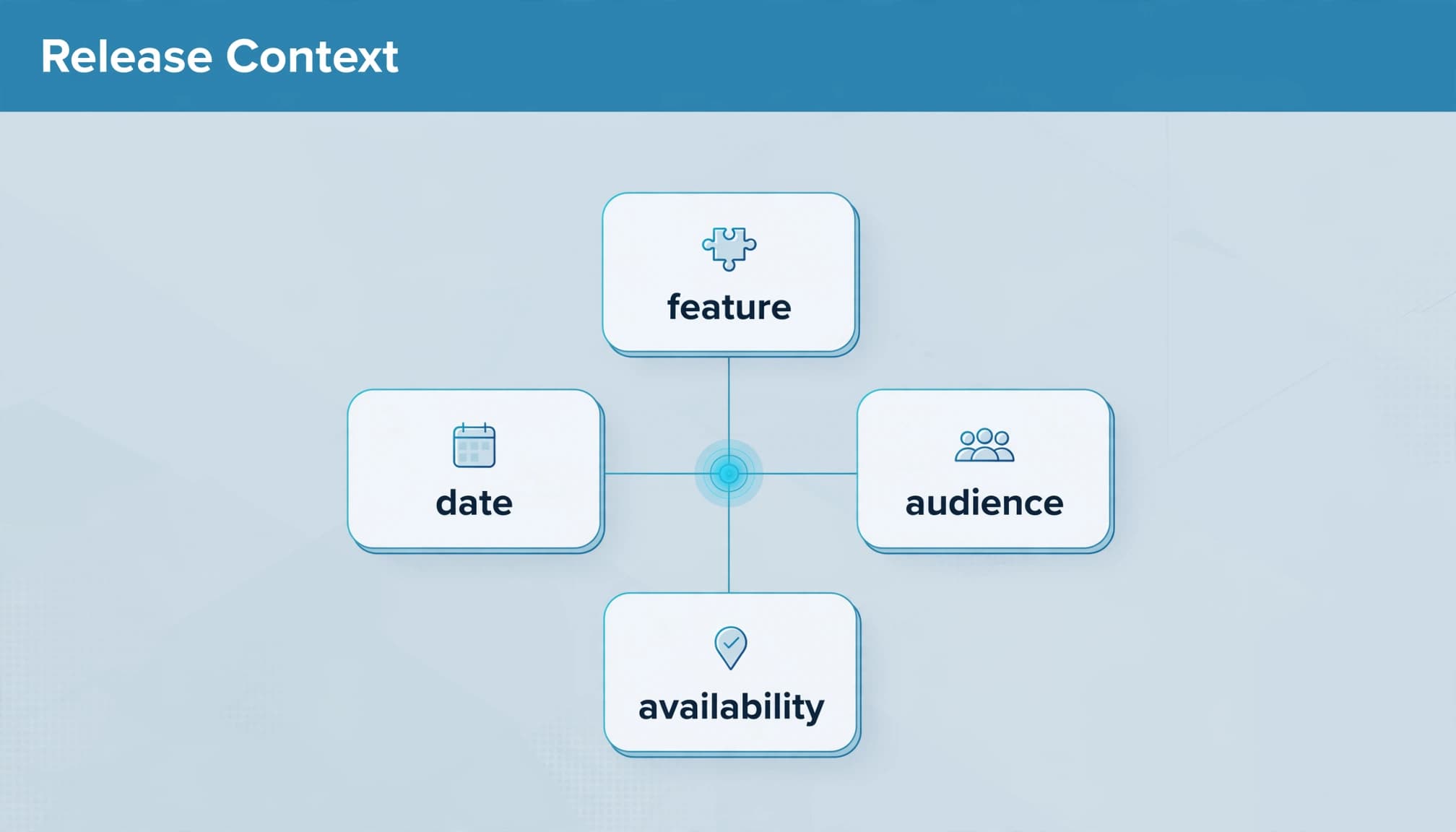
- Keep the product, change, release date, availability and limitations together so a shortened answer preserves the original meaning.
- Distinguish historical announcements from current specifications, especially when plans, permissions or API behaviour change.
- Measure answer accuracy separately from citations, traffic and qualified enquiries, because visibility alone doesn’t tell you whether buyers received the right information.
How LLMs handle B2B product release notes
Stored knowledge and retrieved information differ
An LLM answering without external sources draws on patterns learned during training. Publishing a release note doesn’t immediately update that stored knowledge.
A search-enabled assistant can retrieve newer information, whilst your own product assistant can search a connected documentation collection. Neither process means the system reads your entire changelog before answering.
OpenAI distinguishes search crawling from training crawling. OAI-SearchBot supports ChatGPT Search, whilst GPTBot collects content that may be used for model training. Their controls are independent.
This distinction matters because publishing, discovery, retrieval and answer generation are separate stages.
Retrieved passages become evidence for an answer
A release entry can supply evidence about what changed, who can use it and whether implementation work is required. The model then generates an answer using the information available to it.
A changelog records changes over time. Release notes usually provide more explanation about a particular release. Both can help, but neither automatically describes today’s complete product.
For a versioned API such as Stripe’s, “latest” doesn’t explain which behaviour applies to an existing integration. Your notes need enough context to distinguish an announcement from an applicable specification.
Keep each change attached to its conditions
Availability is part of the feature claim
Words such as “only”, “unless” and “up to” can determine whether a buyer’s intended use is supported. When summarisation removes them, the answer can promise more than your product provides.
Microsoft Teams guest access illustrates the distinction between a capability existing and someone being able to use it. Organisational settings and permissions affect access.
Your B2B product release notes should state plan eligibility, required permissions, regional restrictions and rollout status beside the change. A limitation buried in another article is easier to lose.
Our guidance on preserving conditions in AI summaries explains why these details need to survive compression.
Historical releases need clear boundaries
An announcement can remain accurate as history whilst becoming unsuitable as current buying guidance. A feature might later move between plans, change its prerequisites or be retired.
Label older material as current, supported historical guidance or retired functionality. Keep it available where customers still need it, and link to the relevant current instructions.
For technical changes, give the affected product or API version alongside the publication date. A recent page timestamp doesn’t prove that its specifications describe the current release.
This is part of managing conflicting product versions, rather than a reason to delete useful documentation.
Use a release-note format that survives extraction
Start with the customer task, then explain the change and its conditions. Internal project names rarely tell buyers what they can now do.
For an integration update, name both products and explain the affected operation. “Salesforce integration updated” leaves more unanswered than a description of the changed lead-routing behaviour.
Use a consistent set of fields across your important releases.
| Field | What you should publish | Why it matters |
|---|---|---|
| Product and feature | Recognisable names and relevant identifiers | Connects the change to the right product |
| Release date | The actual release or effective date | Separates announcements chronologically |
| Change | What was added, fixed, removed or altered | Explains the operational difference |
| Availability | Plans, regions, permissions and rollout status | Defines who can use it |
| Requirements | Configuration, migration or integration work | Prevents misleading implementation answers |
| Limitations | Exceptions, exclusions and known issues | Keeps the claim within its approved scope |
| Supporting guidance | Links to current instructions | Connects the announcement to usable documentation |
The aim is to make each entry understandable without neighbouring releases.
Keep these details in readable text. A screenshot can illustrate a change, but essential availability rules shouldn’t exist only inside it.
For terminology, use customer questions alongside product language. Grouping keywords by search intent helps you identify related wording without repeating every variation in the note.
Make release history accessible to search systems
Remove unnecessary access barriers
Public AI search needs accessible source material. If your release history sits behind a customer login, it isn’t equivalent to a publicly available changelog.
Publish important announcements as readable webpages where commercial and security requirements allow. Keep private operational details private, but explain public capabilities without requiring an account.
Google’s crawling and indexing guidance separates discovering a page from storing it in an index. A sitemap can support discovery, but submission doesn’t guarantee indexing.
Keep this work within your SEO programme. Release notes need the same attention to accessibility and internal navigation as other useful product content.
Use stable URLs and appropriate markup
Give substantial entries stable URLs and link them from a crawlable release index. Relevant product pages and help articles should also point to changes that affect their instructions.
Keep a consistent current product reference alongside the historical record. Otherwise, a search system may find an announcement without finding today’s applicable guidance.
Structured data can describe published content, but it doesn’t replace the explanation on the page. Use markup appropriate to the page type and keep it consistent with visible details.
Our guide to schema markup covers that distinction. There is no special changelog markup that guarantees an AI citation.
Control retrieval in your own product assistant
Preserve metadata with each passage
You have more control over an assistant connected to your documentation than over a public answer engine.
Store release dates, product names, versions, availability and status as metadata. When you split documents into searchable passages, retain that context with each passage.
Otherwise, a paragraph describing retired functionality can look relevant because it contains the exact feature name.
Use version filters where the question requires them. GitHub’s X-GitHub-Api-Version header is a reminder that an explicit version identifier can matter more than a general reference to recent documentation.
Exact identifiers may need keyword matching alongside semantic retrieval. Test whether the retrieved evidence matches the user’s environment before assessing the generated answer.
Apply permissions and source boundaries
Customer success teams often work with material that shouldn’t appear in public answers. Apply access controls before retrieval so the assistant only receives documents the user is permitted to access.
Treat retrieved documents as evidence, rather than instructions that can override the assistant’s rules. This matters when content contains prompt-injection attempts.
If you also use an LLM to draft release notes, start with approved product evidence. Ask it to preserve eligibility, exceptions and implementation requirements, then require human approval.
A merged code change isn’t sufficient evidence that a feature is generally available. Product approval and deployment status still need to support the published claim.
Test accuracy before measuring visibility
Start with questions your customers ask, including ones that expose restrictions. “What’s new?” is useful, but it won’t reveal whether an answer has lost a plan requirement.
Use a repeatable review:
- Ask fixed questions about availability, permissions, migrations and supported versions, then record the platform and date.
- Capture cited sources where available, and compare the answer with the approved product information.
- Record missing conditions, outdated details and unsupported claims, then improve the relevant source or retrieval configuration.
Include ambiguous wording in your tests. Buyers may ask whether a capability is “available” when they mean included in their existing subscription.
Search Console can help with discoverability. Google’s definition of indexing concerns content stored in its index, not whether an LLM selected or accurately summarised it.
Use a B2B SEO content audit to identify conflicting pages and missing answers. Track answer accuracy separately from referral visits, enquiries and sales acceptance.
Apply the same approved facts to paid campaigns. If your PPC activity promotes a new capability, keep Google Ads landing pages and Facebook Ads copy aligned with its actual availability. Campaign claims can create the same confusion as outdated documentation.
Frequently asked questions
Can an LLM generate release notes from development tickets?
Yes, provided the tickets contain enough approved information. Give it the deployed changes, affected users, availability and required actions. Keep planned work and internal discussion separate from confirmed releases. Review the draft for unsupported benefits and missing conditions before publishing.
Should you publish individual release pages or one changelog?
Use an index for browsing, with separate pages for substantial changes that need explanation. Smaller fixes can remain grouped. The important requirement is that each entry keeps its date, product context and limitations together, regardless of page length.
Does updating a changelog immediately change AI answers?
No. Stored model knowledge doesn’t update when your website changes. Search-enabled systems may retrieve newer material, but discovery, indexing and source selection aren’t immediate or guaranteed. Your own assistant also needs its connected content refreshed when the underlying product facts change.
Make your next release easier to interpret
Useful release notes explain the change without losing the conditions that make it true. That gives customers clearer guidance and AI systems better evidence.
Start with one commercially important release. Improve its self-contained context, update the related documentation and test the questions buyers ask about it.
If you want support connecting product content with search visibility, speak to our Digital marketing team about making your release information part of a clearer customer acquisition strategy.


