

LLMs interpret B2B API rate limits using the documentation, tool descriptions and responses available to them. You get more reliable answers when you state the scope, units and reset rules together, whilst your application enforces the limits.
A model can describe a published API quota, but it needs current application data to report how much capacity your account has left. Confident wording doesn’t close that gap. Start by separating what your documentation tells the model from what your software must measure.
Key Takeaways
- LLMs can explain published limits using the documentation and tool responses available to them. Current account capacity needs live usage data, and application code must enforce the limits.
- Document each limit with its scope, counting unit and reset rules. Keep throughput limits, quotas, credits and concurrency limits distinct.
- Rate-limiting algorithms determine how an API handles bursts and pacing. A limit such as “120 per minute” doesn’t identify the algorithm.
- Check error bodies and headers before retrying. Use bounded backoff, and coordinate shared capacity across workers that use the same API key.
How LLMs interpret B2B API rate limits
The model needs the relevant evidence
An LLM might answer using training knowledge, retrieved documentation or information supplied through an API tool. Those sources aren’t interchangeable. An older pricing page might describe a different allowance from your current API reference.
The OpenAPI Specification provides a structured description of HTTP APIs. You can document response codes, headers and schemas there, alongside readable explanations.
That structure helps software consume your documentation. It doesn’t guarantee that a model has retrieved the latest version or applied every restriction.
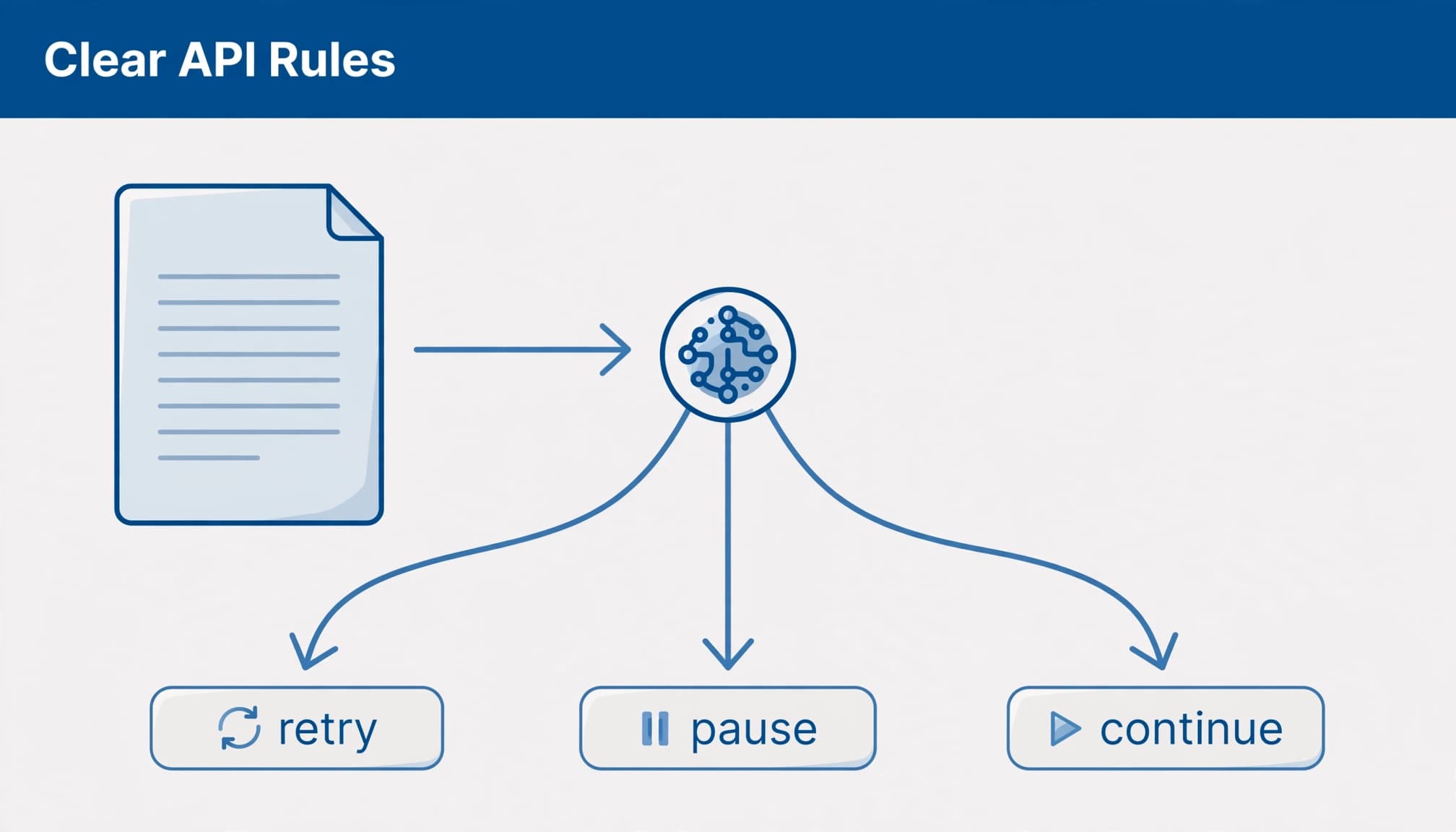
Missing conditions invite incorrect answers
A statement such as “200 requests per minute” leaves several questions unanswered. Does it apply per customer, API key or organisation? Document per-endpoint limits separately from those limits. Do unsuccessful requests count?
When those conditions sit elsewhere, an answer may preserve the number but lose its meaning. The same problem appears when explaining B2B service areas to LLMs: the relationship between facts matters as much as the individual facts.
Give your agent a current usage response when it needs account-specific capacity. Keep rate limiting, enforcement and live capacity checks in application code rather than asking the model to remember a changing balance.
Separate rate limits, quotas and credits
A rate limit controls throughput over a period. A quota sets an allowance, often across a billing cycle. Credits measure chargeable usage, which might depend on records returned, enrichments completed or another published unit.
You can’t assume one request costs one credit. Equally, a bulk endpoint may reduce request counts without reducing credit consumption.
Concurrency limits restrict simultaneous in-flight requests. You can reach them even when your requests-per-second figure looks reasonable, particularly when responses take longer.
For LLM APIs, keep requests per minute, tokens per minute and context-window capacity separate. A large context window doesn’t grant higher throughput.
An HTTP 429 response, labelled Too Many Requests, means the client has exceeded its allowed request rate. RFC 6585 introduced 429 in April 2012. Providers can also return 429 for exhausted account allowances, so inspect the error body before retrying. A 503 response isn’t automatically a quota error.
Match rate-limiting algorithms to your workload
The algorithm determines whether your workload can burst or needs steady pacing. Your documentation should name it when that behaviour forms part of the API contract.
Use this comparison when designing your limiter.
| Algorithm | Behaviour | Suitable workload |
|---|---|---|
| Fixed window | Resets a counter at a fixed boundary; can admit up to twice the intended limit around that boundary. | Simple, lower-volume workloads that tolerate boundary bursts. |
| Sliding window | Evaluates requests across a rolling period rather than a calendar boundary. | Integrations needing more consistent traffic control. |
| Token bucket | Stores replenishing tokens, allowing short bursts whilst limiting sustained traffic to the replenishment rate. | Interactive requests mixed with occasional bursts. |
| Leaky bucket | Queues requests and releases them steadily; rejects new requests when the queue is full. | Background processing where predictable output matters. |
A fixed window limit of 100 requests per minute can allow 100 immediately before a reset and another 100 immediately afterwards. Document whether the fixed window resets at a fixed boundary or follows another defined schedule.
A sliding-window policy might permit no more than 120 calls in any 60-second period. With a sliding window, splitting that period into six 10-second sub-windows reduces accounting costs, but bucketed counters approximate the boundary. Exact rolling enforcement needs finer-grained tracking.
A token bucket retains unused tokens as capacity, so clients can make controlled bursts when demand rises. Unlike a leaky bucket, it doesn’t queue each request for steady release. A leaky bucket releases queued requests at a steadier rate.
Don’t let an LLM infer an algorithm from a limit alone. “120 per minute” doesn’t identify the implementation.
Read headers before choosing a retry
Parse the provider’s names and units
Common rate-limit headers include X-RateLimit-Limit, X-RateLimit-Remaining and X-RateLimit-Reset. Other platforms use RateLimit-* fields or provider-specific names. Reset values can represent timestamps or durations, so guessing the units is risky.
BigCommerce’s API limits list 60,000 requests per hour for Scale, alongside 450 per 30 seconds. Growth and Core list 20,000 per hour and 150 per 30 seconds.
Treat the published hourly allowances and short-window constraints separately. Don’t derive one by multiplying the other.
BigCommerce exposes X-Rate-Limit-Time-Reset-Ms. That field uses milliseconds, unlike a seconds-based delay.
Apply bounded backoff
Use deterministic retry logic, and give the model a clear status such as deferred or quota exhausted.
- Read the error body and headers. Stop automatic retries for billing or exhausted-credit errors requiring action.
- Honour a valid
Retry-Afterfirst. It can specify a delay in seconds or an HTTP date. - Without usable timing guidance, start around one second. Use exponential backoff, doubling each delay, with random jitter of 0 to 500 milliseconds.
- Cap attempts and total retry time. Preserve unfinished work for later processing.
Full jitter is another approach: choose a random delay anywhere within the current backoff range. This jitter spreads workers that received the same 429 across different retry times.
OpenAI’s rate-limit guidance distinguishes temporary API throttling from quota errors, so don’t assume every 429 has the same cause. Account for SDK retries before adding your own loop, and protect retryable writes with supported idempotency controls.
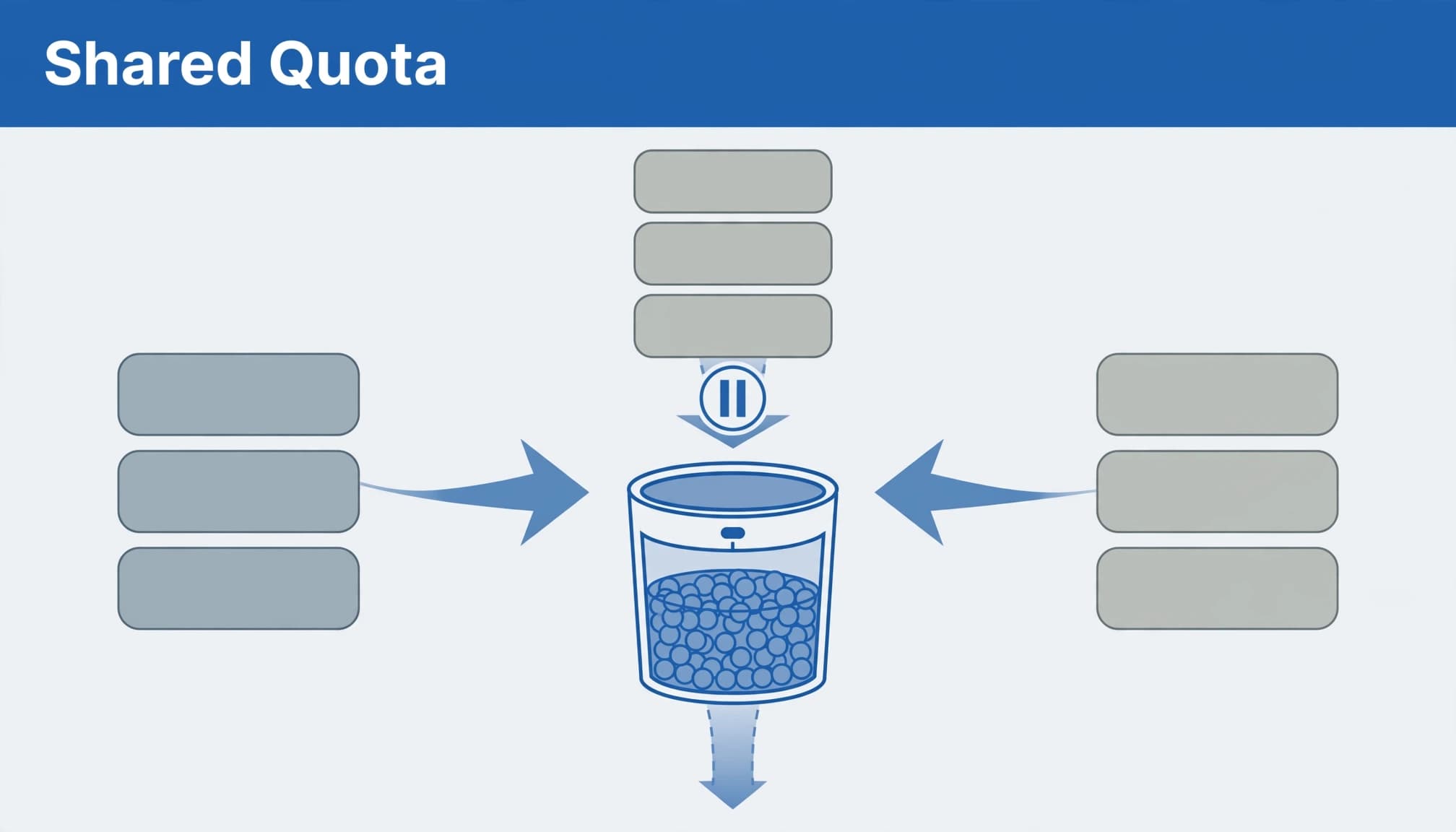
Coordinate shared quotas across workers
Give workers one view of capacity
Ten workers don’t receive ten independent allowances when they share one API key. A busy customer can use capacity that everyone else needs.
Use a shared coordinator, such as a gateway or Redis-backed limiter, to reserve capacity before dispatch. Pair it with a priority queue so live enquiries aren’t held up by a historical CRM refresh.
Per-customer credentials can isolate budgets when the provider grants separate allowances. They won’t bypass an organisation-wide limit.
After repeated throttling, a circuit breaker should pause calls that share the affected budget. Five consecutive 429 responses is one possible trigger, not a universal rule. Log an alert and keep queued records.
Calculate throughput before adding workers
Explorium’s worked example uses 5,000 leads, 200 requests per minute and bulk calls containing 50 records. That requires 100 calls, or 0.5 minutes of request capacity. Single-record calls require 5,000 calls, or 25 minutes.
These figures are an idealised measure of capacity, not a guaranteed completion time. Response latency, concurrency, retries and bulk-job processing can extend the elapsed time.
For this workflow, have the coordinator reserve shared capacity, prioritise live enquiries and adjust pacing based on response headers. Requeue throttled work with jitter instead of letting each worker improvise.
Use batching and bulk endpoints to reduce request counts, pagination to retrieve collections within endpoint constraints, and caching to avoid fetching unchanged data.
Write documentation that keeps conditions attached
Make each rule understandable on its own
Keep the plan, endpoint, allowance, counting unit, scope and reset behaviour together. Explain whether errors consume capacity, whether bulk operations have separate limits, and what happens when credits run out.
Put essential rules in readable text. A screenshot shouldn’t be the only place where your customer discovers a restriction. Public AI search also needs accessible source material; a private reference isn’t equivalent to a public documentation page.
Document your 429 response body and headers in OpenAPI. Explain which conditions are retryable and which require account action.
Keep versions and tests connected
Give each important page an owner, review date and API version. Mark historical documentation clearly, and update implementation guides when authentication, permissions or allowances change.
Test retrieval separately from the final answer. Your model may summarise a document accurately whilst retrieving the wrong version.
Build a small evaluation set around practical questions: which customer shares this budget, what does this reset value mean, and should this error be retried? Score whether the answer retains the restrictions, not merely whether it includes a citation.
A correct allowance attached to the wrong plan is still an incorrect answer.
Public documentation also supports your SEO by answering the feasibility questions buyers search for. Keep commercial copy separate enough that technical instructions remain easy to find.
Monitor usage alongside business outcomes
Rate limit monitoring should track 429 frequency, remaining capacity, in-flight requests, queue age, retry counts and credit use. Break those measures down by tenant and endpoint so one customer’s workload doesn’t disappear inside an account-wide average.
Alert on growing queue age as well as errors. Your integration can avoid 429s whilst processing leads too slowly to be useful.
Track webhook delivery failures and lag separately from API requests. A webhook may follow its own retry schedule, so don’t assume it shares the API request’s retry state.
For PPC, delays matter after the conversion. Leads acquired through Google Ads or Facebook Ads still need timely enrichment and routing.
Keep customer records out of personal AI workspaces. Use approved business environments with appropriate permissions, retention settings and offboarding controls. Your model usually needs the operational error and relevant documentation, not a full CRM export.
Keep one source of truth for allowances and account usage across your tools. Otherwise, switching assistants can carry an outdated capacity assumption into the next task.
Frequently Asked Questions
What should API rate-limit documentation include?
Keep the plan, endpoint, allowance, counting unit, scope and reset behaviour together. Explain whether errors count towards limits, whether bulk operations have separate limits and what happens when credits run out.
Does every 429 response mean the client should retry?
No. Check the response body and headers because a 429 can indicate temporary throttling or an exhausted account allowance that needs action. A 503 response isn’t automatically a quota error.
How should a client retry after a 429?
Honour a valid Retry-After value first. If there isn’t usable timing guidance, use exponential backoff with jitter, and cap both the number of attempts and the total retry time.
How do shared API keys affect workers?
Workers using the same API key share its allowance, so one customer’s activity can use capacity needed by other workers. A shared coordinator can reserve capacity before dispatch and prioritise live enquiries.
Make your API rules easier to apply
Reliable handling of B2B API rate limits depends on clear documentation and measured enforcement. Your model needs current rules with their conditions attached; your application needs shared budgets, bounded retries and visible queues.
Start with the restrictions most likely to interrupt your customer’s workflow, then test whether an answer preserves them.
Speak to us about Digital marketing that helps technical buyers understand your product’s capabilities and limitations before they enquire.


