Shirish Agarwal is the founder of Flow20 and looks after the PPC and SEO side of things. Shirish also regularly contributes to leading digital marketing publications such as Hubspot, SEMRush, Wordstream and Outbrain. Connect with him on LinkedIn.
When we’re building a new webiste, quite often, we have had clients ask us whether we reccomend using real photos on their website or stock photos which can be purchased from a website like www.istockphoto.com. So, we decided to make a list of the pros and cons of using real photos on your website compared to stock ones.
Stock photos for website
Stock photos are readily available on websites like www.istock.com or www.dreamstime.com. These are images usually having been shot by professionals with the purpose of re-selling them royalty-free. The biggest stock photo sites have literally millions of images and there’s a good chance you’ll find something very close to what you’re looking for.
Elevate your law or finance firm with Flow20’s tailored SEO and digital marketing services. Specializing in SEO for law and finance, and PPC for law, we help you dominate your market. Click now to transform your online presence and attract more clients!
Advantgesof stock photos – The biggest advantage here is the low cost and ready availability of images. Photos usually start for just over a £1 each, with the price increasing with the size of the image. This is significantly less than the cost of having the same images shot professionally, on your own. And as pointed out earlier, you’ve got millions to choose from so finding the right image isnt usually a problem.
Disadvantage of stock photos – Stock photos are ofcourse, not unique and you shouldnt be too surprised if you find a stock image used on your website, on another one. This is especially true for images which go viral, for example, http://www.istockphoto.com/stock-photo-5965602-modern-professional-businesswoman.php?st=7fd964b. Another disadvantage is that if you require extra large images, the cost of these can be close to £50 in which case it may be less expensive to have bespoke images created for you.
Real photos
The word “real” refers to both, images you may already have such as your business premisses, people or assets or those that you commision to have created via a professional photographer.
Advantages of real photos – If you want your website to stand out, there is no subsitute for using real photos. When done correctly, not only can your images convey a lot more useful information to a user but they also inspire trust and confidence, resulting in better convesion levels. And, of course, there arent any limitations on the pictorial content as is with the case of stock photos.
Disadvantages of real photos – With a the average cost of a real image some 8 times higher than a stock image, cost is a big disadvantage here. Then there’s also the lead times – booking, planning, processing time usually takes a few weeks, from start to finish. This isnt the ideal solution if are in a rush to have the images ready.
Another thing to point out here is that in some cases, real photos can almost become a necessaity. For example, in family run businesses, it’s a good idea to show your website users the people behind the business as it can increase the effectiveness of the advantages that users perceive of family run businesses.
By the way, the image we have used for this post, is a very good example of an image going viral. This image has been downloaded over 30, 000 times and I have seen it in various other places!
In most cases, the technical requirements of your Ecommerce platform will be slightly different to online retailers selling hardware, Fast-moving consumer goods (FMCG) or other, standardardized items.
Whilst any decent ecommerce platform is fully customizable nowadays, it does’nt hurt to have an idea about the technical requirements and capabilities your chosen platform should have.
Here, we have summarised the 4 most common features that we have found to be helpful in online shops selling clothes and fashion wear:
1. Product variants
Depending on the type of fashion wear you plan to sell, each garment is most likely to have certain variants that it comes in. Most common of these are : Size and Colour. For more bespoke items, this can increase to Fabric, Length, Embroidery type and so on. Even if your current product line isn’t extensive enough to warrant multiple product variants, it’s a good idea to know that your chosen ecommerce platform is fully scalable so you don’t need to upgrade to something better, should your product line diversify. Of Course, make sure your website developers know what the product variants are going to be before they begin the design process, so these can be accounted for, during the design phase. This may seem obvious but on more than one occasion, we have had clients come to us looking to get their fashion ecommerce website re-built due to their current platform not being fully scalable.
2. Quick view
Quick view is a feature most commonly found in new ecommerce websites and is a great tool to help users save time and enhance the shopping experience. Without requiring the user to go into the individual product page to get all the details, this can give them an overview of the products. Try it out here
3. Product zoom
It’s a good idea to choose a platform that supports HD level zoom as not all systems offer this. Being able to show the intricacies of the clothes, stitching details and so on can help increase conversions by 3-4% in our experience. Also, the zoom should ideally, be dynamic, i.e., user shouldn’t have to click a + or – or “zoom” button. Simply, placing the cursor over the image should produce the magnified image.
Elevate your law or finance firm with Flow20’s tailored SEO and digital marketing services. Specializing in SEO for law and finance, and PPC for law, we help you dominate your market. Click now to transform your online presence and attract more clients!
4. Up-selling and Cross selling tools
Finally, make sure your ecommerce platform is equipped to enable tools to help you upsell. Supplementing your individual product pages with ‘You may also be interested in’ or ‘You can wear this with…’ will not only help increase your average order value but also helps users by offering useful suggestions. You can try this feature here.
The above list isn’t exhaustive and if you are selling garments that are fully bespoke, there’s a chance you’ll require something fully purpose built. However, getting an idea about the technical requirements and the most likely features you’ll need in your online shop can help you choose a scalable platform that can grow with your needs.
If your current website’s look/feel hasn’t been updated for a while or you feel it doesn’t accurately represent your brand, then a new website can help your users connect with your brand better.
However, if your current website has good or in fact any search engine rankings, there are 2 things that we take quite seriously when carrying out website redesign so as not to lose any of the search engine rankings of the client.
If you are about to embark on a redesign, you may want to bear the following in mind or ask your developer to, so your search rankings can be maintained with the new website.
URL (website link) Changes – the most likely cause of a drop or change in rankings is when the URLs of the new website pages aren’t the same as the previous ones (for existing pages). Creating a new URL for an existing page means that you are beginning SEO from scratch for that page.
Avoid it – the first thing to do is ask your website developers to maintain the URLs and ensure that URLs for existing pages haven’t been modified in any way. There may be times when this isn’t possible. For example, if your previous website was built with HTML and some of the functionalities of your current website requires PHP in which case the URL extension would change. Example, mysite.com/services.html would have to become mysite.com/service.php, respectively. In this case, you should ask your website developer to do what’s called a 301 redirect from old URL to the new one. This will preserve all of your rankings and SEO value (however, it can take a few weeks for Google to take the 301 redirect into account).
Elevate your law or finance firm with Flow20’s tailored SEO and digital marketing services. Specializing in SEO for law and finance, and PPC for law, we help you dominate your market. Click now to transform your online presence and attract more clients!
Duplicate content – another (indirect cause) of a drop in rankings is the issue of duplicate content, often an issue if the website redesign process isn’t carried out correctly. Duplicate content isn’t looked upon favourably by the search engines and domains and/or pages which are found to contain duplicate content can be penalised and in most case are.
There’s a good chance that during the development process, your developer is showing you the new website via demo URLs and that for demos of the new design of existing pages of your current website, the same content has been copied onto the demo links. If the development is taking place on the developer’s domain, then you don’t need to be worried about any SEO implications of duplicate content. However, if the development is taking place on your own and current domain, then Google can classify the content on the demo pages as duplicates (since the same copy can be found on your live pages). duplicate content is a much more serious issue when the content is found on two different domains (the one found with the content later, is penalised) than with the same domain however, this is still not good SEO practice for maintain the overall domain credibility.
The simplest thing you can ask your developer to do is to create a robots.txt file which contains the entire list of demo URLs and place it within the root directory of your website. a robots.txt files tells Google which pages on your site not to index thereby eliminating the possibility of Google indexing the duplicate content.
It’s important to remember that no matter how well planned the website redesign process is carried out, there is going to be change of rankings in most cases, for better or worse. This is because the search engines take various other on-site factors into consideration to determine ranking, such as keyword density and the order and placement of content within a page and unless the new website is a replica of the older one (yes, it wouldn’t be a redesign then), it is difficult if not impossible to keep all on page elements the same, before and after.
However, the goal of any website redesign should be to improve the user experience, increase conversions and ultimately, increase sales in which case any temporary change in rankings are far outweighed by the long term benefits a new website should bring.
We have been building quite a few websites in WordPress lately and found that WordPress comes enabled by default, with a feature to not allow search engines to cache your website. In other words, this means that your website will be made completely invisible to all the search engines so no matter how good your content or link building efforts are, there’s no chance for a listing within the Search Engine Results Page.
This feature may be useful for websites with private content or the like. However, for most websites, this feature is a big no-no.
One of the first things we reccomend you do is diable this feature. It’s quite easy to do – a message ‘Search Engines Disabled’ (or something along these lines) shows up on your dashboard so just clicking on this will disable the feature.
Not to mention, but it’s really surprising why WordPress would keep such a feature enabled by default in today’s day and age….
A Bounce Rate of a website refers to the number of website visitors who enter and leave a website without having clicked on any further pages. In other words, the entry page and exit page is the same. Bounce rate is usually measured in percentage terms.
Why Bounce Rate is important
In the broadest sense, a high Bounce Rate indicates that users don
Google Website Optimizer is a tool that allows you to test different versions of your website to see which performs better. By using this tool, you can improve your site’s conversion rate, increase user engagement, and ultimately boost sales. It was introduced to help webmasters make data-driven decisions about their website’s design and content.
Originally launched as a standalone service, Google Website Optimizer has evolved into a key feature of Google Optimize, which offers enhanced capabilities for A/B testing and personalisation. This means you can experiment with variations of your web pages and analyse their performance against specific goals like sign-ups or page views.
In a world where user experience is crucial, understanding how to effectively utilise website optimisation can set you apart from the competition. You gain valuable insights that help refine your strategy and make your site more appealing to your audience.
Understanding Google Website Optimizer
Google Website Optimizer is a powerful testing tool that helps you improve your website’s effectiveness. By testing different versions of your web pages, you can see which one drives more conversions.
With Google Optimize, you can run various types of tests:
A/B Testing: Compare two versions of a page to find out which performs better.
Multivariate Testing: Test multiple changes on a page at once to discover the best combination.
Setting up Google Optimize is straightforward. First, link it to your Google Analytics account. This connection allows you to track user behaviour and measure the success of your tests accurately.
Elevate your law or finance firm with Flow20’s tailored SEO and digital marketing services. Specializing in SEO for law and finance, and PPC for law, we help you dominate your market. Click now to transform your online presence and attract more clients!
Once linked, you can create experiments. You’ll choose what you want to test, such as headlines or images. Google Optimize will show different versions to users and record the results.
These metrics provide insight into how well your changes work. By understanding user behaviour, you can make informed decisions about your website’s design and content.
Using Google Website Optimizer enables you to take a data-driven approach to enhance your online presence. This method not only boosts engagement but also helps achieve your business goals effectively.
The Role of Google Optimize in Testing
Google Optimize plays a significant part in enhancing your website’s performance through effective testing methods. It provides tools that allow you to conduct various tests, helping you make informed decisions based on user data.
Fundamentals of A/B Testing
A/B testing is a key feature of Google Optimize. In this method, you compare two versions of a webpage to see which one performs better. You might change a headline, image, or button colour.
You set up a control version (A) and a variant version (B). Then, you direct a portion of your visitors to each version. Google Optimize tracks user interactions and reports data like conversion rates, click-through rates, and bounce rates.
This data helps you understand user preferences and improve the user experience. A/B testing is straightforward and effective for making small adjustments that can lead to better results.
Advanced Multivariate Testing
Multivariate testing takes the concept of A/B testing further. With this method, you examine multiple elements at once to see how different combinations affect user behaviour.
For instance, you can test various headlines, images, and calls to action simultaneously. Google Optimize allows you to set this up easily.
By using this approach, you can discover not just which element works best, but how they interact with each other. This can lead to more substantial improvements in performance compared to simple A/B tests. You gain richer data that provides deeper insights into user engagement.
Split URL testing is another advanced feature offered by Google Optimize. In this scenario, you test different web pages on separate URLs rather than changing elements on the same page.
You might use this method to compare an entirely new layout against the current design. This allows for significant changes, like a new navigation structure or a different marketing message.
Google Optimize helps you collect data on user behaviour across both URLs. You analyse which page drives better performance based on specific metrics such as user engagement and conversion rates. This testing method is useful for larger changes that require a clearer comparison.
Integration with Google Analytics
Linking Google Website Optimizer with Google Analytics enhances your ability to track and measure outcomes. This integration lets you see how different experiments perform against your defined objectives.
To set up the integration, follow these steps:
Access Settings: In Google Optimize, go to the ‘Settings’ tab.
Link Accounts: Select ‘Measurement’ and choose your Google Analytics property.
Test Setup: Ensure your connection is successful by checking the settings.
Once integrated, you can track various events linked to your experiments, such as clicks and conversions. Properly set objectives in Google Analytics, like increasing sign-ups or product purchases, can guide your tests.
The data gathered through this integration helps you make informed decisions. You can analyse user engagement and see which versions of your pages work better. This information is vital for refining your marketing strategies.
You can also create custom reports in Google Analytics to dive deeper into your experiment results. This allows you to understand user behaviour more clearly and identify areas for improvement. By reviewing your objectives and events, you can enhance your website’s performance and increase conversion rates effectively.
Leveraging Google Tag Manager
Google Tag Manager (GTM) is a powerful tool for managing JavaScript tags on your website. It allows you to make changes quickly and efficiently without needing to modify the code directly.
With GTM, you can deploy various tracking codes and tags from a single interface. This simplifies adding and updating tags related to analytics, marketing, or tracking conversion events.
Benefits of Using Google Tag Manager:
Ease of Use: You can add new tags without a developer’s help.
Version Control: Roll back to previous versions if needed.
Testing Environment: Preview changes before going live.
Using GTM can significantly enhance your site’s performance. By loading tags selectively, you can prevent unnecessary scripts from slowing down your pages. For instance, you might choose to load certain tags only on specific pages, reducing the load time for users.
When utilising GTM, it’s essential to plan your tags carefully. Focus on the most critical tags first, such as those for Google Analytics or conversion tracking. This allows you to gather data without impacting site speed.
Finally, consider using server-side tagging. This method offloads the processing to your server, which can improve page load times while still tracking visitors effectively. Explore this option if you need optimal performance for your website.
Designing Experiments for Impact
Creating effective experiments is essential to improving your website’s performance. By focusing on your objectives and utilising the right tools, you can make informed decisions that lead to better outcomes. This section covers how to set clear goals and take advantage of the visual editor when designing experiments.
Setting Up Objectives and Goals
Before executing any experiment, clearly define your objectives. What do you want to achieve? This might include increasing conversions, improving user engagement, or enhancing page load times.
Specific Goals: Make sure your goals are specific. Instead of aiming to “increase sales,” specify a percentage increase, like “boost sales by 10%.”
Measurable Outcomes: Use metrics that can be tracked. For example, monitor key performance indicators (KPIs) such as click-through rates and conversion rates.
Timeframes: Set a timeline for your experiments. Determine how long you will run the tests to gather enough data for analysis.
By taking these steps, you ensure that your experiments are purposeful and yield actionable insights.
Utilising the Visual Editor Interface
The visual editor in Google Website Optimizer offers a user-friendly, WYSIWYG (what you see is what you get) interface to design tests easily.
With this tool, you can modify elements on your webpage without needing coding skills. Here’s how to make the most of it:
Drag and Drop Features: You can rearrange elements like buttons and images simply by dragging them. This helps you test different layouts effortlessly.
Live Previews: View changes in real-time as you adjust elements. This helps you understand how visitors will interact with your site.
A/B Testing Setup: Create different variations of a page to see which performs better. Each version can have distinct headlines, images, or call-to-action buttons.
By harnessing the capabilities of the visual editor, you can streamline the experiment design process and explore variations that lead to improved site performance.
Targeting the Right Audience
When you use Google Website Optimizer, targeting the right audience is crucial for achieving better results. Customisation makes a significant difference in user experience.
Audience Targeting allows you to identify specific groups within your visitors. This means you can tailor content or offers that resonate with them. For example, if you know your audience is primarily young adults, you can create campaigns that appeal to their interests.
With tools like Google Optimize, you can create personalised experiences. Personalisation can include welcoming returning users or displaying relevant recommendations. This approach makes visitors feel valued and increases engagement.
Effective Strategies for Audience Targeting:
Demographic Insights: Use data to understand the age, gender, and location of your audience.
Behaviour Tracking: Monitor user interactions to see what content they enjoy.
Segmentation: Divide your audience into smaller groups for targeted campaigns.
Enhancing the user experience is key to success. When a visitor sees content tailored to their preferences, they are more likely to stay longer and convert.
By utilising these strategies, you can ensure your website caters to the specific needs of your audience, resulting in improved satisfaction and loyalty.
Enhanced Reporting and Analysis Features
Google Website Optimiser offers many reporting and analysis features that help you understand user behaviour. These insights are essential for improving your site’s performance.
You can track key metrics, including conversion rates and bounce rates. With this data, you can identify which elements of your site are effective and which need improvement.
The user-friendly dashboard lets you view experiments easily. You can monitor how different changes affect performance over time. This helps you make informed decisions based on actual user interactions.
Additionally, linking Google Website Optimiser with Google Analytics enhances your reporting capabilities. You can access detailed reports that include audience segmentation. This feature enables you to understand better who your users are and how they engage with your site.
Custom reporting options allow you to focus on specific metrics that matter most to your business goals. You can create reports that track the performance of campaigns and identify trends.
Another important aspect is real-time reporting. This feature lets you see immediate results from your experiments. It allows you to adapt your strategies quickly if needed.
In summary, the enhanced reporting and analysis features of Google Website Optimiser provide you with the tools to improve your website’s effectiveness continuously. Monitoring and analysing user behaviour is crucial for optimising your online presence.
Conversion Rate Optimization (CRO) Strategies
Conversion Rate Optimization (CRO) is essential for improving your website’s effectiveness. Here are some key strategies you can implement:
1. Understand Your Audience
Get to know who visits your site. Use tools available in the Google Marketing Platform to analyse user behaviour and demographics. This understanding helps tailor your content to meet their needs.
2. A/B Testing
Experiment with different versions of your webpages. A/B testing allows you to compare two variations to see which one performs better. Make small changes, such as button colours or headlines, to assess their impact.
3. Improve Page Load Speed
Ensure your website loads quickly. A slow site can frustrate users, leading to higher bounce rates. Use optimisation tools to identify elements that may be slowing down your loading times.
4. Clear Call-to-Action (CTA)
Your CTAs need to be clear and compelling. Use action-oriented language that encourages visitors to take a specific action, like “Sign Up Now” or “Get Your Free Trial”.
5. Mobile Optimization
Ensure your site is mobile-friendly. Many users access websites via mobile devices, so a responsive design can enhance user experience and boost conversions.
By employing these strategies, you can effectively enhance your website’s conversion rates and achieve your marketing goals.
Leveraging the Google Optimize 360 Suite
Google Optimize 360 is designed for businesses looking to enhance their website’s performance through advanced testing. This paid version offers more features compared to the free Google Optimize.
With Optimize 360, you can run more complex experiments, like multivariate testing. This helps you to test multiple elements at once to see what combination works best for your audience.
You can also access higher user limits, allowing for more visitors in your tests. This results in faster insights and optimisations.
The integration with Google Analytics 360 is a key advantage. This makes tracking results easier. You can measure important site actions, like sales and conversions, directly linked to your tests.
Another feature is the ** personalised experiences**. You can tailor content based on visitor segments. This means users see the most relevant information, improving engagement and satisfaction.
In addition, Optimize 360 offers detailed reporting tools. These tools give you insights into experiment performance, allowing you to make data-driven decisions quickly.
Using Google Optimize 360 can significantly enhance your website testing strategy. This leads to better user experiences and ultimately improved performance for your business.
The Free Version vs Paid Version
When considering Google Website Optimizer, it’s important to understand the differences between the free version and the paid version. Each option has unique features and limitations that can impact your website’s performance and testing capabilities.
Comparing Features and Limitations
The free version of Google Website Optimizer offers basic A/B testing features. You can run simple experiments to test changes on your website. However, it has limitations in targeting options. For instance, you can’t segment users based on behaviour metrics or detailed demographic data.
In contrast, the paid version, known as Optimize 360, allows for advanced targeting. It grants access to multiple experiment types, like multivariate testing. You can target users based on their interactions in Google Analytics, giving you richer insights. This extra functionality is beneficial for larger businesses with complex website needs.
Decision Factors for Website Owners
When choosing between the two versions, consider your website goals. If you have a small to medium-sized business, the free version may suffice. It’s a cost-effective way to begin optimizing your site.
However, if you’re managing a large enterprise or running intricate testing, the paid version is likely more suitable. Evaluate your budget and the depth of testing you require before making a decision. Investing in Optimize 360 can provide enhanced features that may lead to greater conversion rates and better user experiences.
Technical Considerations for Implementation
Implementing Google Website Optimizer requires some technical steps. You need to ensure your website is compatible with the tool for effective use.
First, confirm that you have access to the following:
A Google Analytics account for tracking and insights.
Proper permissions to make changes to your website’s code.
Since Google Website Optimizer is a user-friendly tool, you can set up tests without advanced technical skills. However, having a web developer can help streamline the process. They can assist in customising the code if needed for specific experiments.
You can run server-side experiments if your site requires more complex testing. This method allows tests to run on your server, giving you more control over the environment. It is essential to set up your server correctly to use this feature effectively.
Keep in mind the following key points:
Use clear naming conventions for your experiments to keep track of changes.
Always test on multiple browsers to ensure consistent behaviour.
Monitor performance to gather valuable data throughout your experiments.
These technical details are crucial for smooth implementation and to achieve reliable test results. With the right setup, you can enhance your website’s performance effectively.
Since Google + launched in Sep 2011, every few weeks/months you’ll come across reports stating how it’s growing at an astounding rate and that if your business isn’t on it, then you’re “missing out”.
I’m not so sure…
If we take a look at the stats, then Google + has perhaps reached critical mass and is now the 2nd largest Social Media network after Facebook (it was 90m in Jan 2012). However, stats only tell half the story.
Whilst I couldn’t find any stats to confirm this, my hunch is that approx. 70% of users on Google + are professionals who have an active account only for SEO purposes (it’s no secret that having your content get plus 1s will help it’s rankings).
By professionals, I mean either online marketing professionals or business owners who understand the importance of Google + to bolster rankings. And, the objective of opening and managing the account is almost entirely for SEO, not to generate leads, build relationships or loyalty and other strategic goals that Social Media networks are most well-suited for. And, that includes me.
What this means is that the reason for any likes or shares (to put it in generic terms) you’ll generate on Google’s Social Media network is largely a result of professionals out there to help each other as opposed to Facebook, for example where the same effect is most likely the cause of a piece of content ‘worth sharing’.
It’s the same story when it comes to lead-generation. If you’re putting in the time and effort to produce great content that adds value to the reader in some way, there’s a much better chance of generating any leads on Facebook or twitter than on Google +.
But what about Search Engine Optimisation (SEO), you ask?
Social Signals are a very real part of the ranking factor and that includes Google + and also other major networks – Facebook, twitter, LinkedIn, YouTube and so on.
As much as Google would like it’s Social Media network to become the Social Media network of choice, I’m pretty sure it’s not going to do so at the risk of sacrificing the quality of it’s search results (meaning giving better rankings to a piece of content liked/shared on it’s own network compared to Facebook, for example, assuming all other variables remain constant).
So, I doubt that a piece of content receiving the same x likes on Google will rank higher compared to another piece receiving same amount of likes on Facebook as Google will be well aware that the likes on latter is probably more ‘genuine’, at least for the time being, and giving it any less importance will mean affecting the quality of it’s search results.
The point I’m trying to make is that if you’re considering Google + for purely SEO purposes, then it’s probably worth it. However, if you want to incorporate Social Media into your online marketing strategy because you understand the importance of it, then your investment has a better chance of giving you a higher return on Facebook or twitter. And, that includes SEO.
So, what is Google + good for?
First and foremost, I love the Authorship feature as its great for increasing Click Through rates from the results page. And, it certainly has helped increase Domain Authority and overall rankings of any domain we have verified, ours and/or our clients.
I definitely recommend it. Claiming authorship is dead easy as well. Wishpond created a pretty useful ebook which you may wish to download.
Google + is also great as a networking opportunity as it largely comprises of professionals from all fields which you can leverage to create mutually beneficial partnerships for marketing, cross promotion and so on.
At the risk of contradicting everything I said above, I did generate a lead via Google+! How? Remember when you opened your Facebook account, you started connecting with friends from school or elsewhere who you haven’t spoken to for ages and then you got together? Well the same thing happened here. Once I sent the invite to all my contacts, some of our very first clients got in touch who we haven’t worked with for quite some time one of which eventually resulted in some new business.
Not sure I should be thanking Google+ for that however 😉
In the world of e-commerce, maximising revenue from existing customers is a crucial strategy. One of the most effective ways to achieve this is through upselling, which motivates customers to purchase a higher-end product than what they initially intended. This not only boosts your sales but also enhances the customer’s experience by offering them more value.
Choosing the right upselling methods can significantly impact your success. Techniques such as understanding customer needs and providing transparent pricing are key. These strategies ensure that customers feel they are getting the best possible value, thus increasing their likelihood of making an additional purchase.
Clear communication and leveraging technology can also drive upselling success. Tools like sales timers for limited-time offers create urgency and encourage quicker decisions. By adopting these tactics, businesses can see substantial growth in their online sales.
Elevate your law or finance firm with Flow20’s tailored SEO and digital marketing services. Specializing in SEO for law and finance, and PPC for law, we help you dominate your market. Click now to transform your online presence and attract more clients!
Key Takeaways
Upselling is crucial for maximising revenue from existing customers.
Clear communication and understanding customer needs enhance upselling.
Leveraging technology, such as sales timers, can drive success.
Understanding the Basics of Upselling
Upselling is about offering customers additional or upgraded products to enhance their original purchase. It’s crucial to understand where these opportunities arise and what psychological principles can encourage customers to accept the upsell.
Identify Potential Upsell Opportunities
To effectively upsell, identify moments when a customer might be interested in additional products. This can happen during the checkout process or while they are browsing related items. It’s important to focus on products that genuinely complement what the customer is already interested in.
Using data from customer interactions can help in recognising these opportunities. For instance, suggesting a protective case when a customer is purchasing a phone is a logical upsell. This approach ensures that the upsell feels natural and aligned with the customer’s needs.
The Psychology Behind Upselling
Understanding why customers are likely to accept upsell offers can improve success rates. People are more likely to buy added items if they perceive increased value or a sense of urgency. Persuasive language and limited-time offers can be effective in this regard.
Building trust through social proof and reviews also plays a significant role. When customers see that others have benefited from an upsell, they are more likely to make that additional purchase. Highlighting positive feedback and testimonials can create a convincing argument for the upsell.
Bundling involves offering related products and services together at a discounted price. For example, a smartphone paired with a protective case and screen protector can be sold together. This technique appeals to customers looking for convenience and savings. Bundles increase the perceived value of the purchase, and customers often spend more than they initially planned.
Retailers should ensure the bundled items are complementary and useful. This approach is proven to enhance sales and customer satisfaction. A study shows that analysing customer preferences helps in creating effective bundles. Tracking which bundles generate the most interest can refine future offerings.
Create Upsell Offers at Checkout
Presenting upsell offers during checkout is a great strategy. Customers are already in the mindset to buy, making them more receptive to additional suggestions. For instance, suggesting a warranty or an upgraded version of the product can increase the cart value. Online stores can use pop-ups or sectioned banners to highlight these options.
Retailers must ensure the upsell offers are relevant and not overwhelming. Clear, concise messaging is key to avoid frustrating the customer. Data from Hubspot indicates that adding value through these offers strengthens customer relationships and boosts sales.
Personalise Your Upsell Recommendations
Using customer data to personalise upsell recommendations can significantly enhance effectiveness. Tailoring suggestions based on browsing history, previous purchases, and preferences can create a personalised shopping experience. For example, if a customer frequently buys fitness gear, recommending advanced workout equipment would be effective.
Personalisation requires a robust data analysis system. Ensuring privacy and data security is crucial. According to Close, understanding customer needs and recommending valuable upsells improves satisfaction. Personalised recommendations make customers feel valued and increase the likelihood of repeat purchases.
Overall, these strategies—bundling products, creating targeted upsell offers at checkout, and personalising recommendations—are essential for effective upselling and enhancing online sales.
Effective communication is key to successful upselling. By educating customers, using persuasive language, and leveraging testimonials, businesses can build trust and encourage higher value purchases.
Educate Your Customers
Educating customers about the benefits of additional products or services is crucial. Explain how an upsell can solve problems or add value. For example, if selling a laptop, highlight the benefits of an extended warranty or a productivity software package.
Provide detailed information in simple terms. Use visual aids like infographics or videos to make the benefits clear. Avoid technical jargon that might confuse the average customer. Instead, focus on the practical benefits they will gain.
By being transparent and informative, you build customer trust. They are then more likely to consider the upsell as a worthwhile investment. This educational approach positions your business as helpful and customer-focused.
Use Persuasive Language
Using persuasive language can significantly impact upselling success. This involves using words and phrases that highlight the value and urgency of the offered upgrade or additional product.
Phrases like “limited time offer” or “exclusive upgrade” can create a sense of urgency. Descriptive words such as “enhanced,” “premium,” or “exclusive” make the upsell more appealing.
Tailor the language to the customer’s needs and preferences. Personalisation can make the upselling effort feel more relevant. Use positive language that focuses on benefits rather than features. This shifts the focus to how the product or service will improve the customer’s experience.
Leverage Customer Testimonials
Customer testimonials can be powerful tools in upselling efforts. Positive feedback from other customers builds trust and validates the value of the upsell.
Showcase testimonials that specifically mention the upsell item. For instance, if upselling a software upgrade, highlight a testimonial praising its additional features and ease of use.
Place these testimonials prominently on your website and in email campaigns. Include quotes, star ratings, and even pictures of satisfied customers if possible.
Seeing real examples of satisfied customers can help potential buyers feel more confident in making a higher-value purchase. This form of social proof reinforces the credibility of your product or service.
Leveraging Technology to Upsell
Using technology can significantly enhance your ability to upsell by providing tailored product recommendations and analysing customer data to identify key opportunities. These steps can help increase sales and improve customer satisfaction.
Implement Smart Product Recommendations
Smart product recommendations help suggest relevant items to customers based on their browsing and purchasing history. By using sophisticated algorithms, you can show items that customers are more likely to add to their cart.
For example, if a customer is buying a printer, suggesting compatible ink and paper can be effective. Integrating these recommendations seamlessly into the shopping experience, like highlighting them on product pages or at checkout, can encourage additional purchases.
Tools such as recommendation engines, driven by artificial intelligence and machine learning, analyse customer behaviour to make accurate suggestions. These recommendations can be tailored by factors such as past purchases, browsing habits, and similar customer preferences.
Utilise Customer Data Analysis
Customer data analysis can provide invaluable insights into buying patterns and preferences. By mining this data, you can create personalised upselling offers that match a customer’s specific needs.
Analyse factors such as purchase history, browsing patterns, and demographic information to tailor your offers. For instance, if a customer regularly buys a particular brand, offering upgrades or related products from that brand can be enticing.
Data analysis tools can segment customers into different groups based on behaviour, allowing for more focused upselling efforts. By targeting specific segments with curated offers, the likelihood of successful upselling increases. Leveraging customer data ensures your efforts are both strategic and effective.
Using customer data effectively means understanding what products to recommend and when to recommend them, enhancing the overall shopping experience.
Frequently Asked Questions
Understanding how to effectively upsell products can help online stores increase their sales. Here’s how businesses can effectively implement and benefit from upselling techniques.
What methods can be implemented to effectively upsell products in an online store?
To upsell effectively, recommend products that add value to the customer’s primary purchase. Use personalised suggestions based on the customer’s browsing or purchase history. Offering bundling options and showing customer reviews for upsell products can also enhance their appeal.
How does the introduction of upselling strategies boost overall sales revenue?
Upselling encourages customers to spend more by offering higher-end versions of the product they are considering. When done correctly, this increases the average order value and boosts total sales revenue without significantly altering the customer’s shopping behaviour.
In what ways can upselling be integrated into a customer’s shopping journey to enhance their experience?
Integrating upselling techniques throughout the shopping journey, such as at checkout or on product pages, can be beneficial. Recommending complementary products or upgraded items creates a smoother and more satisfying experience for the customer, making their purchase feel more complete.
Can you describe some successful examples of upselling strategies utilised by retail businesses?
Successful examples include recommending a premium version of a product, like suggesting a laptop with higher specifications. Another is offering accessory bundles, such as phone cases with smartphone purchases. Retailers often highlight positive reviews of the upsell items to build trust.
What steps should be taken to train a sales team in the art of effective upselling?
Training should focus on understanding customer needs and how to recommend relevant products. Role-playing exercises and providing detailed product knowledge help sales teams feel confident in their upsell recommendations. Regular feedback and performance reviews.
Boost your online visibility with top-notch SEO, PPC, LinkedIn strategies from Flow20. Discover how our experts can enhance your digital marketing efforts today!
So, our shiny new website is live and we thought it’s high time we added a Blog to our website.
We were adding many how-to’s, guides and resources to our older website via the Resource section but a Blog just makes it much easier. And, yes, search engines love Blogs! 🙂
We’ll be calling this the Online Marketing Blog and will be using it to share our expertise, what we’re learning and anything else we think you may find of use. We’ll also be re-launching the Resources section next week and our first addition will be Online Marketing Trends for 2012 which I think many of you will find interesting to plan your Online Marketing Strategy for 2012.
Please feel free to leave a comment and tell us what you think about our new website.




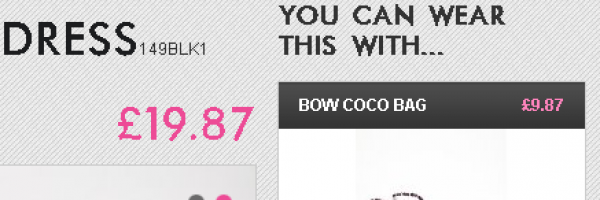


 also be interested in’ or ‘You can wear this with…’ will not only help increase your average order value but also helps users by offering useful suggestions. You can try this feature

 If your current website’s look/feel hasn’t been updated for a while or you feel it doesn’t accurately represent your brand, then a new website can help your users connect with your brand better.